Contact Us

Custom Reports: SinglePoint Drag-and-Drop Report Builder

SinglePoint Custom Reports is the drag-and-drop report builder every commercial treasury team has been asking for. Drop any field onto the canvas, compose calculated fields, apply conditional formatting, group by any dimension, publish to a named schedule. Output formats pre-mapped for SAP, Oracle NetSuite, Microsoft Dynamics 365, Sage Intacct, QuickBooks Online and Workday Financials.

GL mapping lives inside Custom Reports — assign general ledger codes, cost centres and project codes to transactions based on originator, BAI type code, amount range or description text-match. The output flows directly into ERP GL import with zero manual re-keying.

Sign In to SinglePoint Standard Reports
SinglePoint Custom Reports drag-and-drop builder canvas with calculated fields and conditional formatting

The Custom Reports Builder Canvas

Drag fields, compose formulas, apply conditional formatting, group and sub-total, preview with real data. No SQL, no scripting, no ticket to IT.

Feature Brief

  • Drag-and-Drop — any transaction, balance, user or metadata field drops onto the canvas.
  • Calculated Fields — arithmetic, Boolean logic, IF/THEN, date math, text concatenation.
  • Conditional Formatting — colour, bold, icon and cell highlight based on value thresholds.
  • GL Mapping — rule-based assignment of GL accounts, cost centres and project codes.
  • ERP Integration — native output for SAP, NetSuite, Dynamics 365, Sage Intacct, QuickBooks, Workday.

Calculated Fields in SinglePoint Custom Reports

The calculated-field engine inside Custom Reports is intentionally compact — familiar enough that an Excel user sees it and starts building, powerful enough to replace bespoke spreadsheet macros.

Arithmetic

Add, subtract, multiply, divide. Round, ceiling, floor, absolute value. Running balance, cumulative sum, moving average over N rows. Currency-aware math respects the transaction currency without manual conversion.

Boolean and Conditional

IF, AND, OR, NOT with nested branches. CASE statements for classification logic. Comparison operators on any typed field. Regex match on text fields for robust pattern-based rules.

Date and Time Math

Days between, weeks between, months between, business-day counts honouring the U.S. Federal Reserve holiday calendar. Value date vs posting date deltas. Aging buckets (0-30, 31-60, 61-90, 90+). Week-of-year, month-of-year, quarter classifications.

Text Functions

Concatenation, substring, upper/lower case, trim, length. Regex extract for pulling invoice numbers out of wire narratives. Soundex and fuzzy match for beneficiary normalisation across slight spelling differences.

Common Custom Reports Use Cases

Five canonical use cases that Custom Reports handles out of the box — these are the reports that 80% of commercial treasury teams rebuild manually in Excel every month.

Use CaseFieldsOutputRefresh Cadence
GL Import — SAP IDoc24SAP FI IDocDaily 06:30 CT
NetSuite Bank Feed18CSV with GL codesHourly
Intraday Cash Position12XLSX dashboardEvery 15 min
Monthly Close — Dynamics 36530Dynamics GL batchMonthly
FX Exposure Summary20PDF executive packWeekly

SinglePoint Custom Reports by the Numbers

Six ERP connectors, unlimited calculated fields, drag-and-drop canvas.

6Native ERP Connectors
Calculated Fields per Report
15 minMinimum Refresh Cadence
0Code Required

ERP Integration Details

SAP, NetSuite and Dynamics 365

Custom Reports emits SAP FI IDocs with GL line items pre-allocated by mapping rules. NetSuite receives CSV bank feeds with GL account codes already resolved. Microsoft Dynamics 365 ingests GL batch files with cost centre and project allocations applied. All three connectors support dry-run preview so treasury can verify mapping before activating automated delivery.
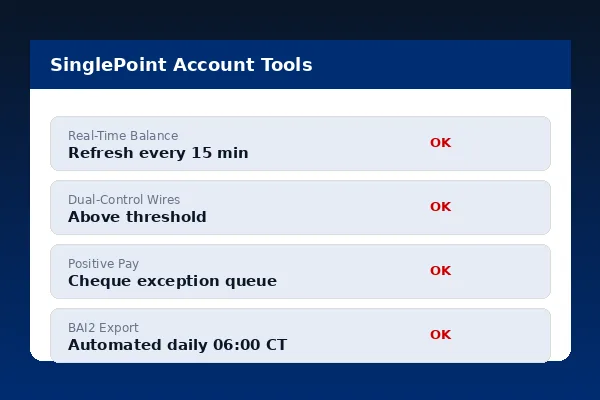
SinglePoint Custom Reports ERP integration panel with SAP, NetSuite and Dynamics 365 connectors
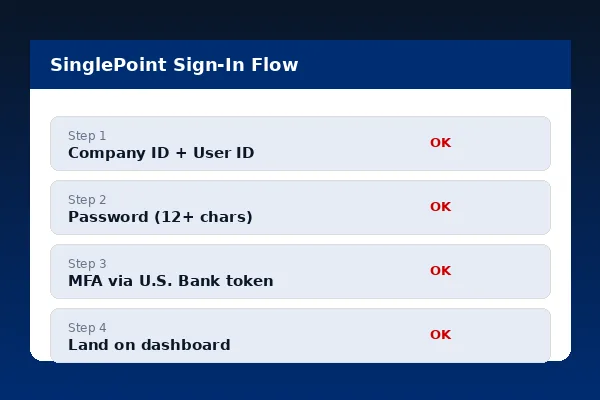
SinglePoint GL mapping rules for Sage Intacct, QuickBooks and Workday

Sage Intacct, QuickBooks, Workday

Sage Intacct receives CSV uploads with entity, location and department dimensions. QuickBooks Online pulls via API with account mapping cached per customer. Workday Financials consumes the native Workday inbound integration feed. Every connector is bidirectional where the ERP supports write-back for reconciliation status.

Federal Reserve payment systems data feeds the business-day calendar used in Custom Reports date math.

People Also Ask

What can I build with the SinglePoint Custom Reports builder?
Drag-and-drop column construction, calculated fields, conditional formatting, grouping, sub-totals, pivot views, GL mapping and scheduled delivery.
Does Custom Reports integrate with ERP systems?
Yes — native connectors for SAP, Oracle NetSuite, Microsoft Dynamics 365, Sage Intacct, QuickBooks Online and Workday Financials.
Can I map bank transactions to GL accounts?
Yes. Rule-based GL mapping by originator, BAI type code, amount range or description text-match — output flows directly into ERP GL import.
What are calculated fields?
Columns defined by formulas — arithmetic, Boolean logic, IF/THEN, date math and text concatenation. Examples include net amount, running balance, FX spread and aging buckets.
How fast do custom reports refresh?
On-demand in seconds. Scheduled refreshes support every 15 minutes for intraday, hourly for operational dashboards, daily for close, monthly for period-end.

Commercial Banking Portal — Topic Cluster